hasanbet Deposit Guide

By the end of this page you will be able to move money from your own wallet into your hasanbet balance without guessing: which number to send to, how long the credit takes, and what to do when a payment leaves bKash or Nagad and never shows up in your account.

18+ · Play Responsibly

Smallest top-up৳200
Credit time3 min
First deposit205%

What to have ready before your first top-up

Your hasanbet account holds one name and one mobile number. The wallet you pay from has to be registered to that same person, because a transfer sent from a friend's bKash or a cousin's Nagad can be reversed straight back to the sender. A bank transfer follows the same rule: the account holder name on the slip and the name in your profile must be the same person.

The cashier itself is short. You tap deposit, you pick a wallet, you copy a number, you send. Most of the friction people run into comes from skipping the three small things below.

  • The wallet app you actually use. Enough balance to cover the ৳200 floor, and the PIN you set when you opened the wallet.
  • Your NID, passport or driving licence. Not needed to deposit, but asked for once before your first withdrawal, and the document review takes about 2 hours.
  • The confirmation SMS. The transaction ID inside it is the one string the cashier needs from you, so keep the message until your balance moves.

A deposit and its bonus land together, so there is no second step to claim anything. If you are on a shared phone, sign out after the transfer; the cashier remembers nothing about your wallet once you close it.

Player reading a bKash transfer confirmation on a phone beside a laptop showing the hasanbet cashier
Every top-up leaves the same trail: a wallet receipt with a transaction ID, and a balance that should move within about 3 minutes.

Every hasanbet deposit method side by side

Five channels sit inside the cashier. They differ in the app you open, not in what they cost you or how long the credit takes once the transfer is matched.

  • bKash৳2003 minutes26 minutes৳1,200
  • Nagad৳2003 minutes26 minutes৳1,200
  • Rocket৳2003 minutes26 minutes৳1,200
  • Upay৳2003 minutes26 minutes৳1,200
  • Bank Transfer৳2003 minutes26 minutes৳1,200

Amounts are in taka. The 26-minute withdrawal time applies once a request is accepted; the money then arrives in the same wallet you deposited from. Payouts are capped at ৳60,000 a day on every channel, whatever your balance.

Which one should you pick? Take the wallet you top up your phone credit with, because the PIN and the habit are already there. Bank transfer is the better fit when you are moving money from a salary account and want the slip as your own record. Rocket and Upay work well on a basic handset where you lean on a USSD menu rather than a heavy app.

Sending money from bKash step by step

These five steps repeat on Nagad, Rocket and Upay with the wallet name swapped. Read them once and your second deposit takes about a minute.

  1. Open the cashier

    Sign in to your account, then tap Deposit on the top bar. The payment list opens with your current balance in the corner, so you can see the number change when the credit lands.

  2. Choose bKash and type the amount

    Enter the amount in taka. The smallest the cashier accepts is ৳200, and the page shows your first-deposit bonus and how much of it applies before you confirm anything.

  3. Copy the payment number

    A wallet number appears with a countdown beside it. Use the copy button rather than typing from memory: one wrong digit sends your money to a stranger and the return takes days, not minutes.

  4. Send the money inside bKash

    Switch to the bKash app and complete the transfer to that number. When the confirmation SMS arrives, copy the whole transaction ID, letters and digits, with no spaces at either end.

  5. Submit the transaction ID

    Return to the cashier, paste the ID into the field and submit. Your balance is credited in about 3 minutes, and the deposit stays listed in your transaction history for later reference.

Do not close the cashier tab between step 3 and step 5. The payment number and the ID field belong to the same session; if the countdown reaches zero, start a fresh deposit instead of paying the old number.

Nagad, Rocket, Upay and bank transfer

Each channel has one small habit worth knowing. The screen you land on after submitting is identical, and so is the 3-minute credit window.

Nagad

  1. Pick Nagad in the cashier and copy the number it prints for this deposit.
  2. In the Nagad app use Send Money, not Cash Out, so the amount reaches a wallet and not a cash agent.
  3. Paste the transaction ID from the Nagad confirmation message and submit.

Rocket

  1. Select Rocket and note the number shown, plus the amount you entered a moment ago.
  2. Send that exact amount from the Rocket app, or from the USSD menu if you are on a basic phone.
  3. Type the transaction ID from the reply message into the cashier field.

Upay

  1. Choose Upay; the cashier prints a wallet number for this one payment only.
  2. Open Upay, send the amount, and wait for the confirmation notification on screen.
  3. Copy the ID from that notification, paste it, and press submit.

Repeat top-ups

  1. Later deposits follow the same route, so the steps never change.
  2. The payment number is fresh each time. Saved recipients in your wallet can point to an expired deposit.
  3. An 18% reload bonus applies to top-ups after the first one, credited with the deposit.

Bank Transfer

  1. Select Bank Transfer to see the account name, account number and routing details for your deposit.
  2. Send the amount through your bank app, internet banking or a branch slip. The sender name must match the name on your hasanbet profile, so a transfer from a relative's account will bounce back.
  3. Enter the reference number from the slip or upload a photo of it. The deposit is credited once the incoming transfer is matched to your reference; keep the slip until the balance moves.

One rule covers all five channels: the money has to come from an account in your own name. Third-party payments are returned to the sender and can hold up the review of your account.

How fast money moves and how much you can take out

Deposits are the quick part. Payouts take a little longer because each request is checked once against your profile. This table is the whole schedule, with nothing hidden in a footnote.

Limit or timingValue
Minimum deposit৳200
Deposit credited3 minutes
Minimum withdrawal৳1,200
Withdrawal processed26 minutes
Maximum daily withdrawal৳60,000
First withdrawal review1 hour
ID document check2 hours

A first payout takes about 1 hour because a person looks at the account once. Later requests settle into the 26-minute path. Keep ৳1,200 as the smallest request you can make, and remember the ৳60,000 daily ceiling counts withdrawals, not deposits.

Higher VIP tiers lift that ceiling: Plus moves it to ৳120,000 a day, Prime to ৳240,000 and Elite to ৳470,000, with cashback rising from 1.5% to 1.8% along the way. The turnover that unlocks each tier is measured monthly, so a quiet month can drop you back down a step.
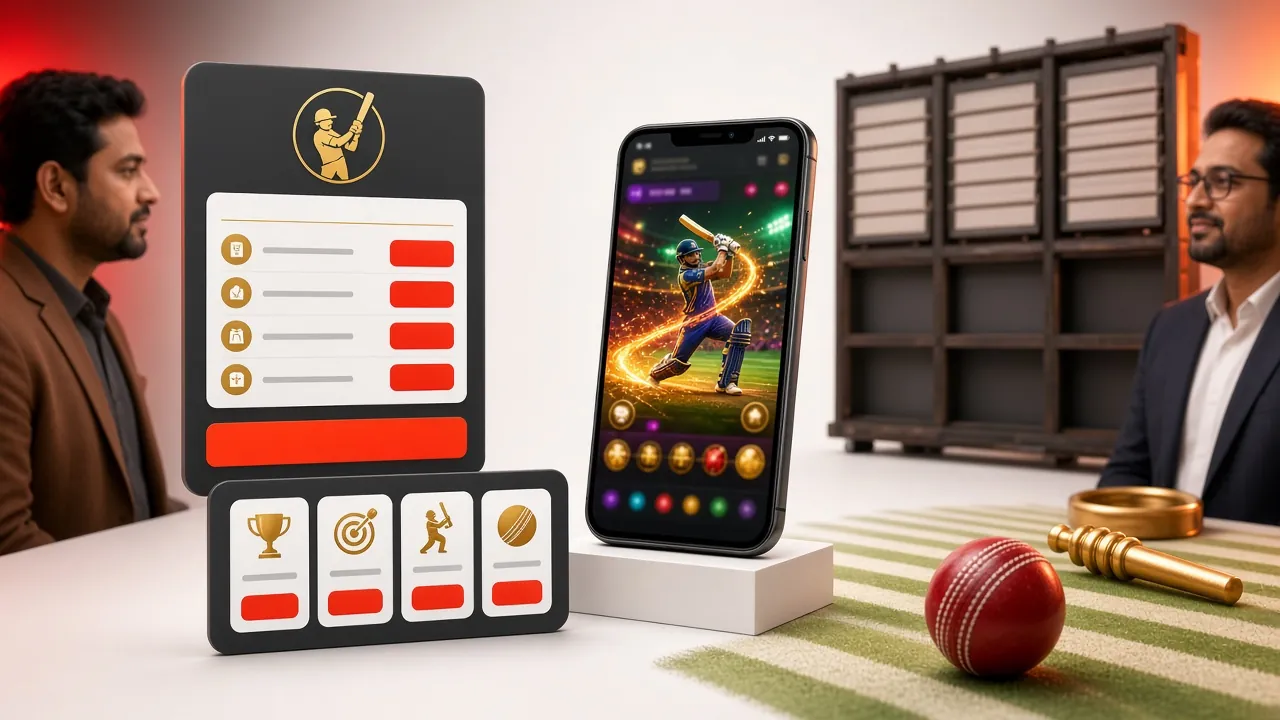
What your first hasanbet deposit unlocks

The ৳200 you send is not only balance. A first deposit is matched at 205% up to ৳10,500, and the bonus lands beside your cash rather than in a separate wallet. The condition is turnover: the bonus has to be played 15 times before any of it becomes withdrawable.

Bonus termFigure
First deposit match205%
Maximum first-deposit bonus৳10,500
Amount needed to qualify৳200
Turnover before withdrawal15×
Reload bonus on later top-ups18%
Daily cashback1.5%
Referral reward per friend৳125

A ৳500 deposit therefore carries ৳1,025 in bonus and ৳15,375 of turnover before withdrawal. If you plan to cash out early, tick the box that declines the bonus; nothing is locked then.

Smaller offers run alongside the welcome one: 18% whenever you top up again, 1.5% cashback on the day's play, and ৳125 for each friend who registers and makes a deposit. The bonus types comparison sets them out next to each other if you want to choose before you pay.

If your money leaves the wallet but the balance stays at zero

Almost every stalled deposit comes from one of five things. Work down the list before you open live chat; four of the five you can fix yourself in under a minute.

  • A character in the transaction ID is wrong

    These IDs are long and mix letters with digits. Paste instead of typing, and check that no space came along at either end. A single swapped character makes the cashier reject a payment that was in fact perfect.

  • The money went to an old saved number

    Wallets keep previous recipients, and the number changes with every deposit. Open the cashier again, copy the number for this deposit, send a fresh payment, then ask live chat to return the first one to your wallet.

  • The countdown ran out before you submitted

    The payment number is valid only for the deposit that printed it. If the timer expires, start a new deposit rather than sending to the old number; the ID from an expired screen will not match anything.

  • You paid from someone else's wallet

    Transfers from a friend or family account are flagged and sent back to the sender. The refund arrives in their wallet, not yours, so the deposit has to be made again from an account in your own name.

  • The SMS never arrived

    Open the wallet's own transaction history and copy the ID from the entry there. If the entry is missing too, the payment never left the wallet and nothing is pending on our side; send it again.

Still stuck after those checks? Live chat runs 24/7. Have the amount, the time of the transfer and the transaction ID ready, and most cases are traced in a single message.

Deposit questions players keep asking

How long should a deposit take?

About 3 minutes on bKash, Nagad, Rocket, Upay and bank transfer, counted from the moment you submit the transaction ID. If 10 minutes pass with no credit, the ID is usually the reason. Check the digits, then send the ID to live chat with the amount and the time of the transfer.

What is the smallest amount I can deposit?

৳200. Smaller payments are refused by the cashier before you copy any number, which saves you a wallet transfer you would have to chase. There is no upper limit per deposit beyond what your wallet allows in a single transfer.

Can I pay from a friend's bKash account?

No. The wallet has to be registered in the same name as your hasanbet profile, and the same applies to a bank account. Third-party payments are returned to the sender, which can take days, and the deposit still has to be made again from your own account.

Does the deposit carry a charge?

The cashier prints the exact amount to send, and you send exactly that. Your wallet screens any charge of its own before you confirm with your PIN, so read that line: whatever the wallet deducts is separate from the amount that reaches your balance.

My deposit failed but bKash shows the money gone. What now?

Copy the transaction ID from the bKash entry and submit it in the cashier again; a mistyped ID earlier is the usual cause. If the cashier still refuses it, open live chat with the ID, the amount and the time, and the payment is either credited or released back to your wallet.

Can I deposit from the hasanbet app?

Yes. The hasanbet app opens the same cashier, so the wallet steps do not change; you simply move between two apps on one screen. The APK is 52 MB and runs on Android 7.0 and above.

Send the first ৳200 and the rest is routine

Open an account, pick the wallet already on your phone, and your balance moves in about 3 minutes. Your first deposit carries the 205% welcome bonus up to ৳10,500.

Create My Account